A Front-Desk Message Plan for Studio-Branded Socks
Create booking messages and short front-desk scripts that explain studio sock requirements, retail choices and member benefits without confusion.
Studio-branded socks are easier to explain when the booking page, reminder and front desk give the same information. Write the class requirement first, describe the available options second and introduce the branded product only where it answers the member's question. Staff should not have to improvise a policy while a class is about to begin.
This is a communication plan for a policy the studio has already approved. It does not decide which socks are suitable for a class, whether other brands are allowed or what exceptions an instructor can make. Set those operating decisions before writing the messages.
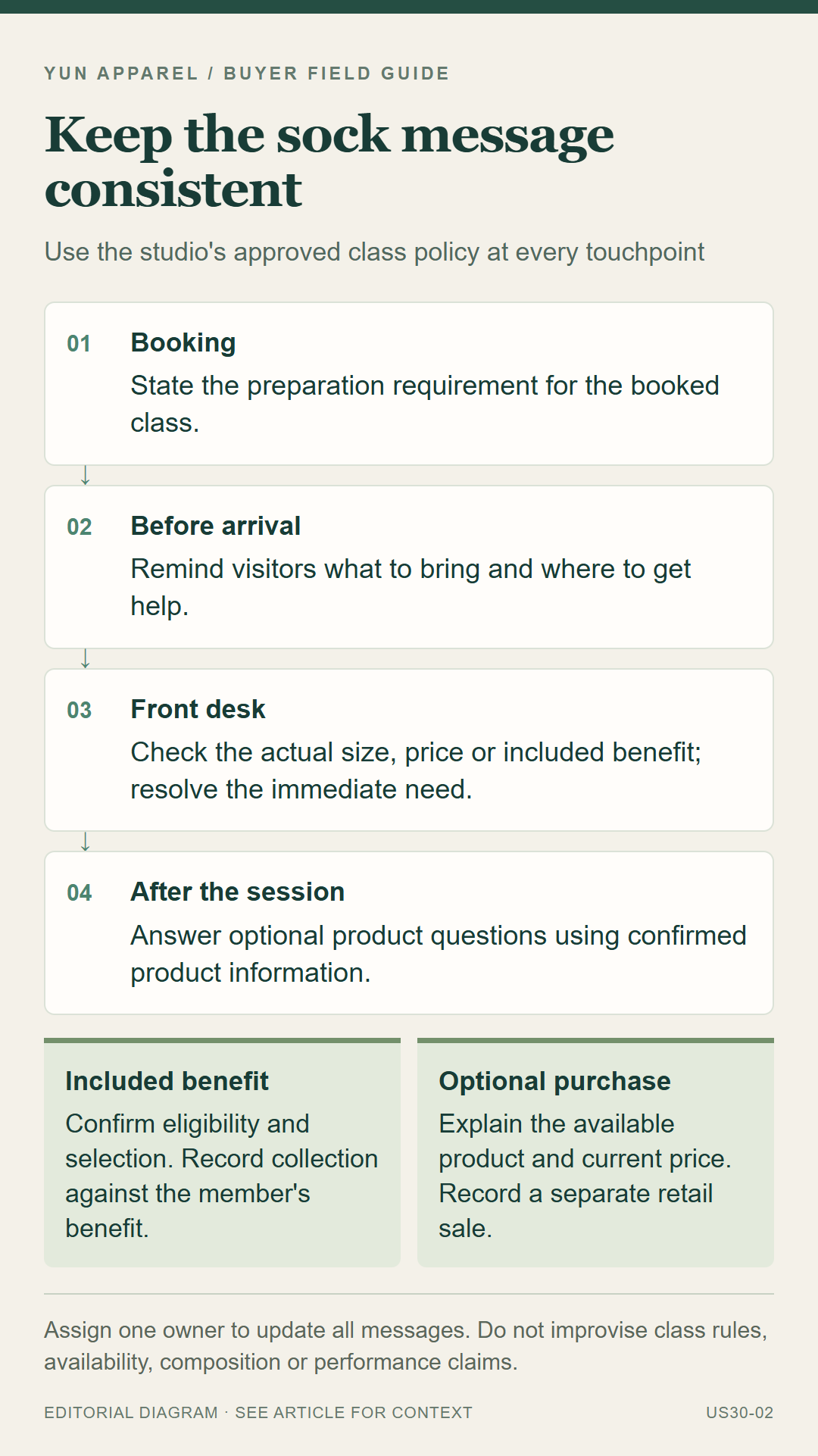
Concept illustration. Assign one owner to update all messages. Do not improvise class rules, availability, composition or performance claims.
Put each message in the right place
An arrival requirement belongs before the visit. A product story belongs where someone has time to consider it. A long description of embroidery, packaging and colors in a booking confirmation can bury the practical instruction that a first-time visitor actually needs.
STRONG's first-visit guidance tells visitors to bring grip socks and notes that pairs can be purchased in the studio. This is an example of making the option visible before arrival, not evidence that every studio should use the same rule. STRONG first-visit guidance
| Touchpoint | Main job | Information to confirm |
|---|---|---|
| Booking page | Explain preparation | Rule for the booked class |
| Arrival reminder | Make action easy | What to bring and where to get help |
| Front desk | Resolve the immediate need | Available size, current price or included benefit |
| Product display | Support an optional choice | Actual product details and care information |
Assign one person to update all four places when a rule changes. A new sign at reception will not fix an outdated automated reminder.
Write a short arrival exchange
Prepare staff with three possible conversations. The following examples are editable scripts. Replace the conditional details with the studio's actual policy and available products before using them.
For a prepared visitor: “You have what you need for this class. If you want to see our studio collection after the session, it is displayed here.” There is no need to interrupt check-in with a full sales presentation.
For someone missing a required item: “This class uses our published sock requirement. Let me check the available sizes and explain today's options.” Then give the actual choices, including a purchase, approved loan or manager decision only where those options exist. Avoid implying that an unavailable size is in stock.
For a member with an included pair: “Your membership record shows a sock benefit. Let us confirm your selection and record collection.” This is fulfillment of a promise, not an additional sale. Staff should know which screen or record establishes eligibility.
Explain the product without adding claims
Keep a small product card behind the desk. Include the exact product reference, size chart location, composition as confirmed for that item, current selling price and care instructions. “Custom cotton socks” does not mean that every pair is 100 percent cotton. Staff should use the approved wording for the actual product.
Give staff an escalation sentence: “I do not have that detail confirmed; I can get the product information for you.” This is more useful than guessing about wash life, material benefits or whether a sock will prevent slipping. A customer question can become a documented follow-up instead of an unsupported claim.
Rehearse the exceptions before a busy session
Run a short rehearsal with an instructor, a desk colleague and the person who manages retail stock. Try an out-of-stock size, a member expecting a free pair and a visitor who says the reminder gave different instructions. Identify who can resolve each situation and where the decision is recorded.
After a week, review a few anonymized questions. Count messages that were unclear, missing benefits and unavailable sizes separately from voluntary purchases. A rise in required purchases after poor reminders is not evidence that the studio brand has become more attractive.
Questions studio owners ask
Should the reminder advertise the studio collection?
It can include a short, accurate availability note after the preparation instructions. Keep the required action obvious and do not suggest the visitor must buy the studio's own product unless that is the actual approved class policy.
What if staff give different answers about an included pair?
Use one eligibility record and name the person who can correct it. Update the record when a benefit is collected. Repeated verbal explanations are difficult to reconcile and can lead to either missed benefits or duplicate distribution.
Build the product information alongside the script
Ask Yun Apparel about custom cotton socks, studio logo options and packaging with your intended retail or membership use. Confirm the actual product information before adding it to staff cards, reminders or display copy.